
An LED display maintenance log should show what asset was inspected, what condition was found, what work was performed, which parts or settings changed, how the system was tested, and who accepted the result. A useful log is more than a technician’s note: it is the traceable link between the installed system, the maintenance plan, the incident history, the spare-parts stock, and the current accepted operating state.
The best template is concise enough to complete during real service work but structured enough for another qualified person to reconstruct the event. It uses consistent asset names, controlled status fields, measurable observations, and evidence references. It also separates a reported symptom from a verified cause, and a completed task from an unresolved risk.
What should an LED display maintenance log include?
Direct answer: record the work-order number, date and service window, site and exact asset, reported condition, initial operating state, safety controls, inspection results, measurements, actions, configuration changes, removed and installed parts, test results, photos or file references, remaining defects, follow-up owner, technician, reviewer, and final service status. Each entry should use the same equipment identifiers found in the project’s accepted documentation.
- Identify the display, cabinet, module position, controller, processor, power circuit, source, and software instance affected.
- State whether the visit is preventive, corrective, emergency, warranty, upgrade, inspection, or customer-requested work.
- Capture the condition before work begins, including active alarms and visible symptoms.
- Record measurements with units, test method, tool, and reference condition where these matter.
- List every material part, cable, setting, file, or firmware version changed.
- Describe the verification performed from both the technical interface and the operator’s normal workflow.
- Assign every open item a status, owner, target, and operating restriction if one is required.
- Close with a clear outcome: returned to service, returned with limitation, awaiting parts, isolated, or not accepted.
Use one asset identity across every record
A record becomes difficult to trust when “main screen,” “wall one,” and “auditorium LED” refer to the same display. Create an asset hierarchy that matches the LED display as-built documentation: site, room or zone, display, subsystem, cabinet coordinate, module position, controller port, power branch, and network device. Use only the levels needed for the work, but keep the naming stable.
Serial numbers, cabinet maps, QR codes, or durable asset labels can reduce ambiguity. The technician should still confirm that the label matches the physical location and the controller map. If a module or controller is moved, update both the maintenance entry and the source asset register instead of leaving two conflicting versions of the system.
Choose fields that support decisions
On smaller screens, swipe horizontally to view all columns.
| Log section | Minimum information | Why it matters | Example evidence |
|---|---|---|---|
| Work identity | Work order, date, site, asset, purpose, assigned people | Connects the entry to scope and accountability | Ticket or planned-maintenance reference |
| Initial condition | Service state, symptom, alarms, recent events, baseline | Separates the starting condition from the repair outcome | Photo, alarm export, operator statement |
| Inspection and measurements | Check performed, result, value, unit, test condition | Makes observations comparable over time | Thermal image, meter reading, visual checklist |
| Action and change | Procedure, parts, files, settings, versions, deviations | Shows what altered the accepted system | Part labels, configuration export, change approval |
| Verification | Test pattern, sources, redundancy, alarms, operator checks | Demonstrates service rather than task completion alone | Test results, photos, screenshots |
| Closure | Status, limitations, open actions, owner, approval | Prevents incomplete work from appearing complete | Acceptance signature or digital approval |
Use controlled choices for fields that teams need to filter, such as maintenance type, severity, service status, subsystem, and failure category. Keep a free-text field for context. A form containing only narrative is hard to trend; a form containing only dropdowns can hide the reasoning behind a decision.
Separate symptoms, findings, causes, and actions
“Black module replaced” combines several different facts. The symptom might be a dark area at cabinet C07, module position M3. The finding might be normal incoming power but no output from the module. The confirmed cause might be a failed component, or the cause may remain unconfirmed. The action is the replacement and any associated reseating, cleaning, mapping, or calibration. The result is the post-work test.
This separation prevents a plausible diagnosis from becoming permanent fact. It also lets maintenance managers distinguish repeated symptoms caused by different faults. For a service interruption, link the log to the LED display incident report, which should retain the timeline, business impact, communications, and incident-level follow-up.
Record measurements with their conditions
A number without context may not be comparable. If the team records temperature, voltage, current, brightness, color, network latency, fan state, humidity, or insulation test results, include the unit, instrument or data source, operating load, content or test pattern, ambient condition where relevant, and the point measured. Avoid copying values from a controller screen as if they were independent measurements when they are estimates or status indicators.
Define project-specific acceptance bands in approved procedures, commissioning records, manufacturer instructions, or engineering requirements. Do not invent a universal threshold in the log template. When a value is outside its accepted band, record the immediate decision: adjust, monitor, restrict operation, investigate, or isolate.
Trace replacement parts from stock to service
For every replaced item, record the part type, manufacturer reference, compatible batch or calibration group where applicable, serial or lot number if available, source location, installed position, and disposition of the removed unit. This turns the maintenance log into a reliable transaction for the spare-parts register without forcing technicians to enter the same information in several disconnected systems.
State whether the removed part was failed, suspected, repairable, returned under warranty, quarantined, or discarded under an approved process. After module replacement, use the checks defined in the LED display module replacement plan. A visually acceptable module may still require verification of seating, mapping, color uniformity, thermal behavior, and inventory reconciliation.
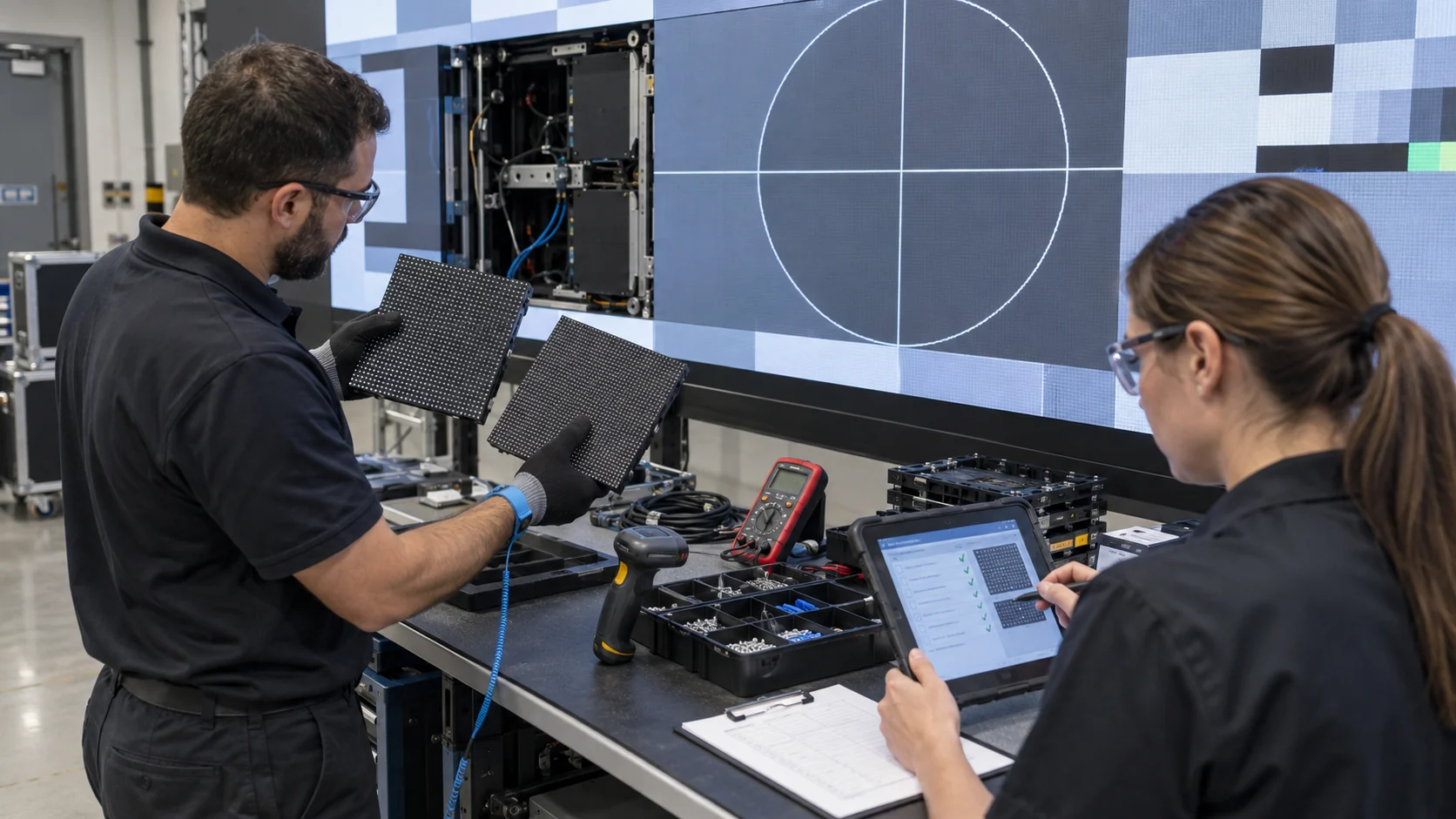
Document configuration and firmware changes
Maintenance can change the system even when no hardware is replaced. Record the old and new value, file name, version, affected device, approval reference, backup location, implementer, and rollback result for changes to mapping, calibration, scaling, redundancy, monitoring thresholds, schedules, network addressing, or firmware. A note such as “settings corrected” is not enough to restore the previous state.
Follow the project’s firmware update plan when software or device firmware is involved. If urgent work changes the accepted baseline, mark the entry for documentation review so the as-built record, operator procedure, backup set, and support team do not continue using obsolete information.
Verify the delivered service, not only the repair
A technician can complete a repair correctly while the overall service remains unavailable. The closeout test should match the affected path: visible canvas, pixel mapping, test patterns, expected sources, scaling, color and brightness behavior, controller status, redundancy, alarms, content scheduling, remote monitoring, and operator controls. Test related functions that the work could reasonably disturb.
Record the test content, test duration where relevant, result, exceptions, and person accepting service. If startup, shutdown, or source behavior changed, revise the LED display startup and shutdown plan before the new process becomes normal practice.
Use evidence without creating a file graveyard
Photos, videos, exports, thermal images, screenshots, and test reports can make a record more useful, but only if they remain identifiable. Give each file a reference tied to the work order and asset, preserve the capture date, and state what the evidence demonstrates. Store configuration exports and sensitive network information in an access-controlled location rather than attaching them to a broadly visible log.
Evidence should support a decision, not replace a written finding. A close-up photograph of a connector may not show which cabinet it belongs to; a screenshot may omit the active device or profile. Add enough context that a reviewer can understand the evidence without relying on the technician’s memory.
Manage open defects and deferred work
Do not mark a visit complete merely because the technician has left. For every unresolved item, record the observed condition, risk or operational effect, temporary control, permitted operating state, required action, owner, dependency, and review target. “Monitor” should identify what will be monitored, by whom, using which signal, and what condition triggers escalation.
Use a service status that cannot be mistaken for full acceptance: returned to normal service, service available with documented limitation, awaiting approved maintenance window, awaiting part, isolated from service, or escalated for engineering review. Align response and closure expectations with the LED display maintenance SLA.
Turn logs into preventive-maintenance decisions
Consistent logs can reveal repeat failures by cabinet position, component family, operating condition, environment, software version, or service action. Review trends using meaningful denominators such as installed quantity, operating hours, events, or service periods when those data are available. Raw incident counts alone can make a large system appear less reliable than a smaller system with a higher failure rate.
Trend reviews should lead to a decision: adjust the preventive task, investigate a common cause, change a spare holding, improve training, revise a configuration baseline, or accept the observed condition. Do not treat correlation as a confirmed cause. Use monitoring evidence from the LED display remote monitoring checklist to add timing and operating context.
What should buyers require at handover?
- An agreed asset hierarchy and cabinet-position naming convention.
- Preventive, corrective, emergency, warranty, and inspection log templates.
- Controlled status, severity, subsystem, cause, and disposition values.
- Project-specific measurement and acceptance references.
- Part issue, return, quarantine, repair, and warranty fields.
- Configuration, firmware, backup, rollback, and approval fields.
- Evidence storage location, file-naming rule, access control, and retention responsibility.
- Open-action tracking with owner, dependency, target, and operating limitation.
- Digital export capability so service history remains usable if the maintenance platform changes.
- Training for operators, technicians, reviewers, and service owners on how to complete and close records.
Questions about LED display maintenance records
Is a spreadsheet enough for an LED maintenance log?
A controlled spreadsheet can work for a modest system if it has stable fields, clear ownership, access control, backups, and links to evidence. A larger or critical estate may benefit from a maintenance platform with asset relationships, approvals, mobile entry, audit history, notifications, and reporting.
Should operators and technicians use the same form?
They can use the same record with role-specific sections. Operators should capture time, asset, visible symptom, recent action, content source, alarms, and business impact without guessing the cause. Technicians add findings, measurements, actions, parts, settings, tests, and closure evidence.
How often should maintenance logs be reviewed?
Review each entry before formal closure and review accumulated trends at an interval suited to operating criticality, event frequency, failure history, contract obligations, and risk. Also perform a focused review after a major incident, repeated fault, upgrade, or supplier change.
What if the root cause is unknown?
Record the cause as unconfirmed, preserve the evidence, describe the action taken, and define the next diagnostic step or monitoring trigger. Do not convert a suspected cause into a confirmed category simply to close the form.
Who should approve a maintenance record?
The technician confirms the technical record; the designated service owner or authorized representative accepts the operational outcome. Higher-risk changes may also require engineering, IT, safety, event, or supplier approval according to the organization’s change process.
Make every service visit improve the system record
A practical LED display maintenance log template preserves asset identity, starting condition, findings, measurements, actions, parts, configuration changes, verification, evidence, and open risks in one traceable chain. When the form supports real decisions, each visit does more than restore the screen: it improves the next diagnosis, the next spare-parts decision, and the accuracy of the accepted system baseline.
KSSdisplay can help project teams define LED maintenance records, asset naming, inspection evidence, handover information, spare-parts traceability, and support responsibilities for a new or existing installation. Review the available support resources or contact KSSdisplay with the application, system configuration, operating schedule, service model, location, and target handover date.




