
An LED display firmware update plan should define why the change is needed, which devices and versions are in scope, what must be backed up, how the update will be staged, which tests prove success, and exactly when the team must roll back. Treat firmware as a controlled system change—not routine housekeeping—because the controller, receiving cards, processors, configuration files, and content path can have interdependent compatibility requirements.
For buyers and operators, the deliverable is not simply “latest firmware installed.” It is a repeatable, evidence-based procedure that preserves an approved baseline, protects service availability, and leaves the customer with a supportable configuration. The equipment manufacturer’s instructions and the project-specific design always govern the actual tools, sequence, and compatible versions.
What should an LED display firmware update plan include?
Direct answer: include a change objective, system boundary, current-version inventory, compatibility evidence, configuration and firmware backups, maintenance window, responsible people, staged rollout sequence, acceptance tests, rollback triggers, recovery files, communications, and a final change record. Each item should name an owner and an evidence file rather than rely on verbal confirmation.
- State the fault, security requirement, compatibility need, or approved feature that justifies the change.
- List every affected processor, sender, receiver, cabinet group, workstation, and network dependency.
- Record the installed hardware revisions, software versions, firmware versions, and configuration identifiers.
- Confirm the proposed version path against current manufacturer documentation.
- Export and verify restorable configurations before touching the live system.
- Define a small pilot group or controlled test system for the first deployment.
- Write measurable visual, signal, control, redundancy, and monitoring acceptance tests.
- Set stop conditions and rollback triggers before the maintenance window begins.
- Assign the change lead, operator, verifier, site contact, and escalation path.
- Update the as-built record only after the final configuration passes and is accepted.
Define the firmware scope before choosing a version
“LED display firmware” can describe several different layers. A video processor may have operating firmware, an LED controller or sending device may use another release, receiving cards may contain device firmware and calibration-related data, and a management workstation may run separate control software. Some systems also include intelligent distribution, environmental monitoring, redundancy, or fiber-extension components with their own update paths.
Map the complete source-to-screen chain and mark what is changing, what must remain unchanged, and what is only being observed. Include spare controllers and receiving cards: a spare on an incompatible version may not be a usable spare during a future incident. The LED display as-built documentation should provide the starting inventory, but the team should confirm it against the installed equipment before approval.
When should firmware be updated—and when should it wait?
Update when there is a documented reason: correction of an observed defect, a manufacturer advisory, an approved security action, required compatibility with a replacement component, or a feature that the project has tested and accepted. “A newer version exists” is not, by itself, a complete business case for changing a stable production display.
Postpone the change when the team lacks a complete backup, a supported upgrade path, a validated rollback package, an adequate maintenance window, or the people needed to verify the wall. Also pause if the hardware-revision inventory is uncertain, the release documentation does not cover the installed combination, or an important event leaves no recovery time. Record the decision and review date so postponement does not become forgotten risk.
Build a compatibility and evidence matrix
An LED controller firmware update can affect more than one device. The change record should connect each proposed version to its hardware revision, companion software, configuration format, sender-receiver relationship, redundancy partner, and manufacturer support source. Avoid assumptions based on product family names alone; hardware revisions within one family may have different requirements.
On smaller screens, swipe horizontally to view all columns.
| Evidence item | Question it must answer | Acceptance evidence | Rollback dependency |
|---|---|---|---|
| Device inventory | Which exact hardware and spare units are affected? | Address-to-location map and verified model/revision record | Known compatible replacement or original unit |
| Current baseline | What working state must be recoverable? | Version list, exported configuration, calibration data, photos, and test results | Readable backup stored in an approved location |
| Compatibility source | Does the proposed combination have documented support? | Current manufacturer release information or written technical confirmation | Supported previous-version path |
| Pilot result | Does the change work on a representative part of the system? | Logged upload result plus visual, signal, and control tests | Proven pilot rollback before broader release |
| Full-wall acceptance | Is the display ready to return to service? | Signed checklist covering image, mapping, redundancy, monitoring, and operation | Decision recorded before the window expires |
Capture a restorable pre-change baseline
A backup is useful only if its scope, source, and restoration method are known. Preserve the current processor presets, screen mapping, receiving-card configuration, calibration or correction data where applicable, brightness schedules, redundancy settings, network settings, monitoring rules, and relevant workstation software package. Keep the original filenames and export dates, then add a plain-language manifest that ties each file to a device and physical location.
Capture visual evidence with known test patterns before the change. Photograph or record the full canvas and representative areas under controlled conditions, and log any existing defects so they are not misattributed to the update. Confirm that configuration exports can be opened or inspected using the approved tool. An LED receiving card firmware backup should be paired with the correct receiver configuration and calibration records where the platform separates those data types.
Plan the maintenance window and decision roles
The window must cover more than upload time. Allow time for access control, baseline tests, backup verification, the pilot, observation, full deployment, final acceptance, documentation, and rollback if a stop condition occurs. The customer should identify the last safe decision point: after that point, beginning another stage may leave too little time to restore service.
Name one change lead who controls the sequence and one independent verifier who confirms results. Also name the site operator, IT or network contact where relevant, equipment support contact, and person authorized to return the display to service. The startup and shutdown plan should define the approved power sequence used before and after the work.
Use a staged rollout instead of changing everything at once
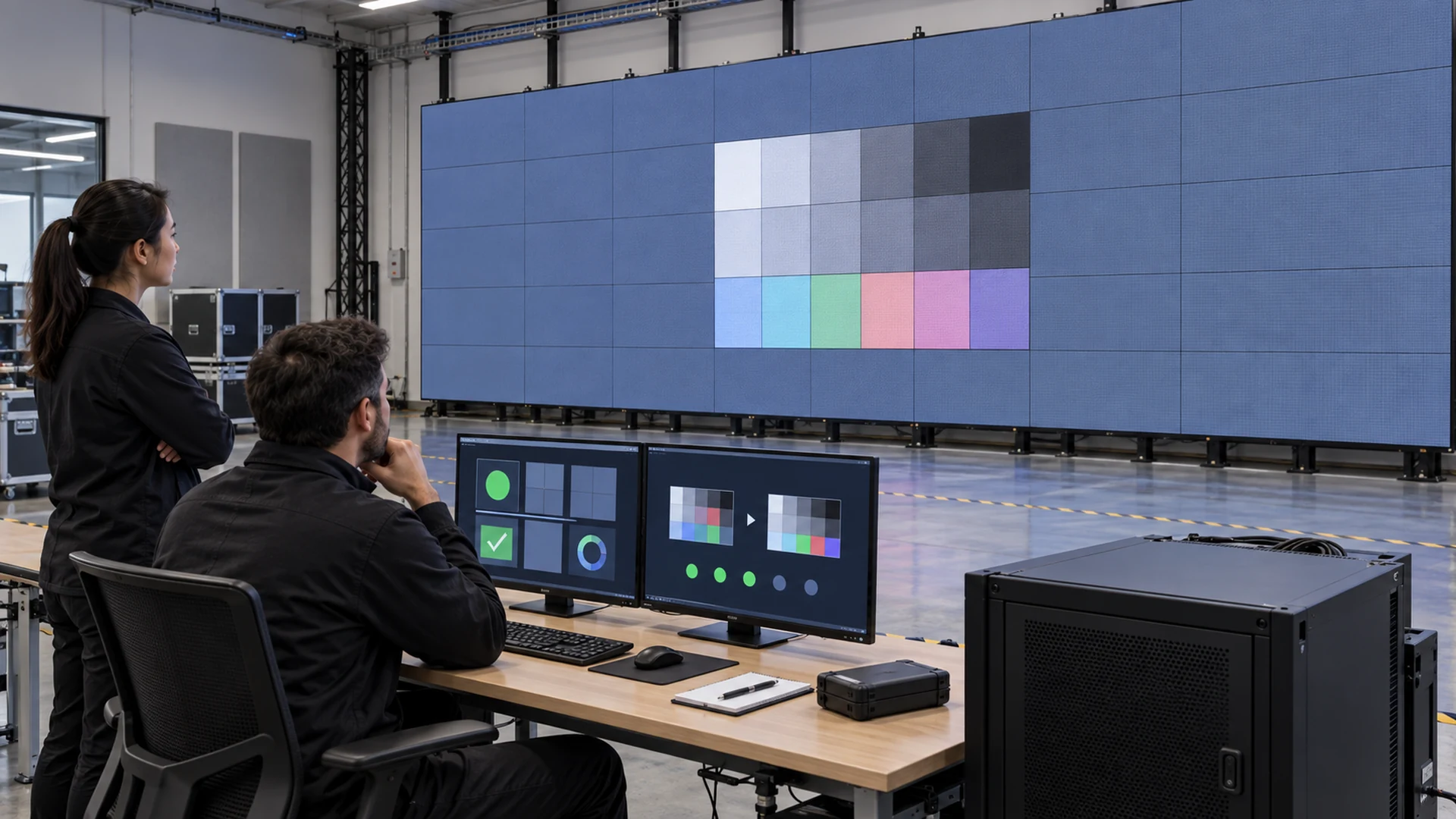
Where the product architecture and manufacturer procedure allow it, begin on an offline test system, a designated spare, or a small representative group. The pilot should include the hardware revisions and signal conditions found in production. Run the same acceptance tests that will be used after the full change. If the pilot fails, stop and investigate; do not treat a broader deployment as another diagnostic experiment.
After a successful pilot, expand in controlled stages that preserve fault isolation. Log the start and finish of each stage, tool and package used, devices completed, observed messages, and verifier result. Do not power-cycle, disconnect, or reconfigure equipment unless the approved manufacturer procedure calls for it. Keep nonessential remote sessions and unrelated changes out of the window.
Set acceptance tests before the update begins
Acceptance should prove the required service, not merely that a progress bar reached completion. Check device communication and reported versions, then display known still and motion patterns across the full canvas. Verify mapping, color continuity, grayscale behavior, brightness control, content switching, expected latency or synchronization behavior, redundancy state, monitoring, scheduled functions, and operator controls that matter to the project.
Compare the result with the pre-change evidence under similar conditions. Investigate unexpected seams, remapping, configuration drift, intermittent communication, new alarms, unstable restarts, or a mismatch between software status and the visible image. Use the project’s commissioning and handover checklist as a reference, but create a shorter change-specific acceptance sheet for the actual scope.
Define rollback triggers and rehearse the path
An LED display firmware rollback is a planned restoration to the last approved working state. Trigger it when an agreed critical test fails, compatibility is uncertain, the pilot cannot be completed, required redundancy or monitoring is lost, an unexplained visual defect appears, repeated instability occurs, or the last safe decision point is reached without acceptance.
The rollback package should contain the supported prior firmware or installer, matching control software where required, exported configurations, calibration data, inventory manifest, approved procedure, and contact path for escalation. Test the rollback on the pilot system when feasible. If manufacturer rules do not allow direct downgrade, document the supported recovery route in advance rather than discovering it during an outage. Connect this procedure to the black-screen recovery plan without combining emergency response and routine change control into one ambiguous checklist.
Update records and monitor after return to service
After acceptance, update the controlled version inventory, configuration package, device map, spare-unit status, test results, change approvals, and known limitations. Preserve both the new accepted baseline and the previous recovery package according to the customer’s retention policy. Do not overwrite the only known-good backup with post-change exports.
Observe the system through normal operating cycles and review alarms, communication events, restarts, failover status, and operator reports. The LED display remote monitoring checklist can help define that evidence. If the update changes alert names or data availability, revise the monitoring rules and support documentation at the same time.
Buyer and RFQ checklist
- Require a current hardware, firmware, software, and spare-device version matrix.
- Ask who approves updates and who is authorized to perform and verify them.
- Require manufacturer-supported upgrade and recovery paths for the installed combination.
- Specify exportable configurations, calibration records, and a readable backup manifest.
- Include a representative pilot or test-system method.
- Define acceptance criteria for image quality, control, redundancy, monitoring, and operator functions.
- Require written stop conditions, rollback triggers, and the last safe decision point.
- Include post-change as-built updates and retention of the previous known-good package.
- Confirm how spare components will be kept compatible with the production baseline.
- Link change control to the service agreement and escalation contacts.
Questions to ask an LED display supplier
Should every LED display run the newest firmware?
No. The target should be a supported, compatible, tested, and documented baseline that meets the project requirement. A newer release should be evaluated against the installed hardware, companion software, operational risk, and a valid business reason before production deployment.
What must be backed up before an LED controller update?
Back up the current versions and relevant configuration, including screen mapping, processor presets, receiving-card parameters, calibration data where applicable, redundancy and network settings, monitoring rules, and the tool needed to restore them. The exact files depend on the manufacturer and system architecture.
How is a firmware update different from a configuration change?
Firmware changes the embedded code that operates a device; configuration controls how the installed system behaves. They are different artifacts, but one update may convert, reset, or affect the other. The change plan should therefore protect and test both.
Can a live LED wall be updated remotely?
Only when the manufacturer supports the method and the customer has approved remote access, site supervision, communications, recovery resources, and a maintenance window. A remote connection does not remove the need for local visual verification or a safe recovery path.
Who should sign off after the update?
The technical verifier should confirm the change-specific tests, while the customer’s authorized representative confirms readiness to return to service. The record should name both people, the accepted version baseline, open limitations, and the location of the recovery package.
Turn firmware maintenance into controlled asset management
A strong LED wall software change control process makes every update traceable from business reason to accepted result. It protects uptime by combining compatibility evidence, a restorable baseline, staged deployment, measurable tests, and a rehearsed decision to stop or roll back. That record also improves future troubleshooting because the support team knows exactly what changed and what did not.
KSSdisplay can help project teams define the controller, receiving architecture, redundancy, test evidence, documentation, and support responsibilities for a maintainable LED system. Review the available support resources or contact KSSdisplay with your application, installed-system details, and operational requirements.




