
LED display network readiness means proving that the installed player can connect, receive the intended content, keep the correct schedule and recover from an agreed interruption on the site’s approved network. A fast internet connection alone does not establish readiness. The project also needs a documented connection path, supplier requirements, an update window and a named owner for unresolved issues.
For buyers, the practical decision is when to approve commissioning. Ask the integrator and venue IT team to demonstrate the actual player on the actual site connection before signing off. Separate downloaded media from network-dependent content, and record what happens during a loss of connectivity. This guide focuses on that handover; it is not a universal firewall configuration or a promise that every player supports the same functions.
Start with the content journey, not the broadband package
Map how a campaign reaches the screen. Identify where files are authored, which content management system (CMS) distributes them, which player receives them and how that player connects to the LED control system. Record model and software versions, not just the supplier’s name. If one player feeds several displays, distinguish the number of players downloading content from the number of visible screens.
Ask the integrator to label the management connection and the display signal connections on the handover drawing. Confirm the function of each port from the equipment documentation; connector appearance is not sufficient evidence of compatibility. Venue IT should know which interfaces belong on its network, while the integrator remains responsible for the specified display signal chain.
This step also exposes purchasing gaps. A quotation for the LED wall may not include a CMS subscription, player, network outlet, cabling certification or IT onboarding. Resolve those boundaries during LED display CMS selection, before a missing dependency becomes a commissioning delay.
Which content needs a working internet connection?
Classify each planned content type before choosing the connectivity test. A downloaded video loop and a live dashboard have different dependencies, even when they appear within the same layout.
For example, Xibo’s display documentation explains that downloaded updates are stored on the player and scheduled content can continue during a CMS connection outage. Its HLS widget documentation, however, requires a working internet connection for live streamed content. These are vendor-specific examples, not evidence that another CMS or every widget behaves identically.
Use those distinctions to build a content dependency list:
- Downloaded images and video: confirm complete delivery, available storage and the schedule that will use the files.
- Live streams: identify the source service and define the approved screen behavior if the stream disappears.
- Web pages and dashboards: identify authentication, refresh requirements and what the viewer sees when a session expires.
- External data widgets: agree how stale information is identified, replaced or removed.
- Remote commands and reporting: separate loss of management visibility from loss of local playback.
Do not accept “works offline” as a complete answer. Ask which assets, schedules and functions were tested, for how long, and whether a restart changes the result. A cached promotional loop can remain visible while an adjacent data panel fails. Acceptance evidence should describe the whole layout, including any fallback, rather than a single successful video.
Confirm the physical connection at the installed position
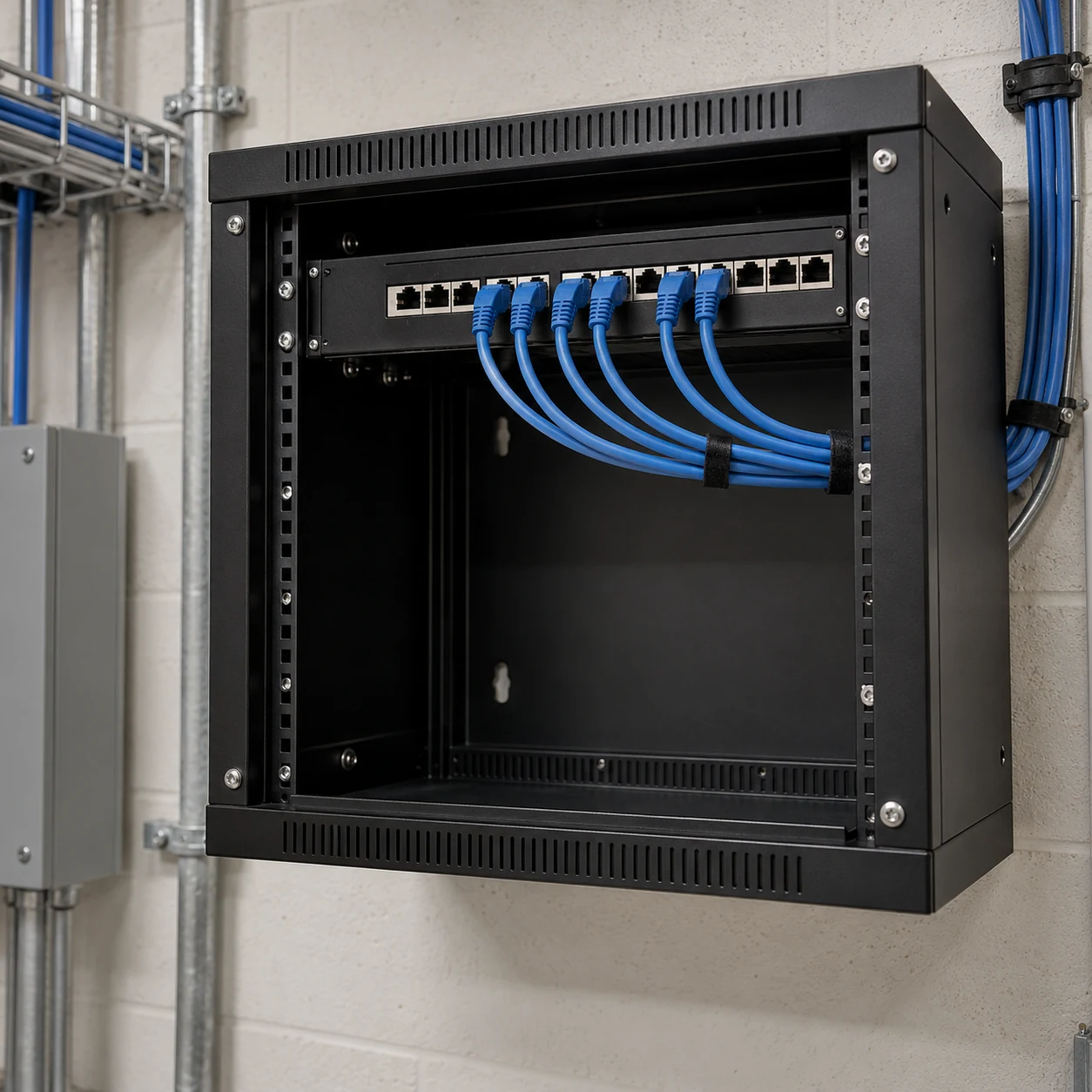
A network outlet beside the technician’s desk is not the final player connection. Verify the outlet, patching, switch assignment and cable route at the installed equipment position. The handover should let a replacement technician identify the same path without tracing an unlabeled cable through a rack.
For a wired design, ask the cabling contractor for the agreed installation records and have IT confirm the intended network assignment. For Wi-Fi, use the selected player and approved adapter in their final location, including the normal cabinet and doors. A nearby phone test is useful context but does not prove that the player will connect under the same conditions.
Mobile connectivity may be appropriate for a temporary or difficult-to-cable site. Its scope should include the approved equipment, service plan, data allowance, installation position and ownership of connectivity faults. If a backup path is proposed, test the actual switching behavior and restoration process; two available connections do not by themselves prove automatic recovery.
Record physical access as well. Who can reach the player, identify its cable or replace an approved component when remote access is unavailable? Put that person or service role in the handover, with an access procedure suitable for the venue.
Give IT a versioned dependency list
The supplier should provide current network requirements for the selected player, CMS, deployment mode and enabled services. IT then reviews them against site policy. A generic instruction to “allow internet access” is too vague to price, approve or troubleshoot.
BrightSign’s BSN.Cloud ports and URLs documentation illustrates why this must be product-specific: it separates player access from authoring access and identifies different required or optional services. That list belongs to the documented BrightSign configuration. Do not copy it into an unrelated LED controller or CMS project.
For your selected system, the handover record should answer these questions:
On smaller screens, swipe horizontally to view all columns.
| Dependency | What the supplier must identify | What IT should record |
|---|---|---|
| Device onboarding | Supported connection and authentication method | Approved network and device registration owner |
| Content delivery | Source destinations and transfer method | Approved access scope and test outcome |
| Management and reporting | Required services and connection direction | Monitoring owner and any restrictions |
| Name and time services | Supported configuration and startup needs | Approved services and responsible team |
| Web content and authentication | External domains, sessions and certificate needs | Compatibility decision and renewal owner |
For each service, retain the destination, protocol, port where applicable, connection direction, purpose and documentation revision. Mark optional features explicitly. Give proxy, certificate inspection and unattended authentication questions to the supplier and IT team together. Do not treat disabling a security control as a normal acceptance step.
Also separate the operator’s workstation from the installed player. An administrator opening the CMS in a browser does not demonstrate that the player can download media. Conversely, a player displaying yesterday’s cached loop does not demonstrate that a new campaign can reach it.
Estimate bandwidth from the update window
Size the transfer workload before discussing internet speed. Ask how much new content each player must receive, how often it changes, how many players share the connection and when delivery must finish. Establish whether the system downloads each file independently or provides a documented local distribution mechanism. Do not assume deduplication or shared caching.
A simple planning calculation is transfer time in seconds = file size in megabytes × 8 ÷ available payload throughput in megabits per second. Here, MB and Mbps use decimal units. The result is an idealized transfer estimate, not a commissioning guarantee.
Consider a hypothetical 250 MB update and 10 Mbps of sustained payload throughput available to that transfer. The arithmetic is 250 × 8 ÷ 10 = 200 seconds, or 3 minutes 20 seconds. If 20 players each download a separate 250 MB copy across the same shared 10 Mbps connection, total payload transfer time is 4,000 seconds, or about 66 minutes 40 seconds, under those assumptions. That is not 200 seconds for the whole fleet.
Actual campaign readiness can take longer because of contention, retries, service limits, scheduling or player-side processing. Use a measured trial to set the delivery allowance. Include both the first full deployment and a typical later update, since their transfer sizes may differ substantially.
For continuous streams, confirm the stream characteristics and concurrent viewers with the provider. A file-download calculation does not establish uninterrupted streaming performance. Agree any delivery-window or bandwidth-control settings only where the selected system supports them, then test those settings with venue IT.
Run one repeatable network acceptance sequence
Build the test around a representative campaign with every intended dependency. Include a visible content revision so the team can tell the new package from the old one. Use an approved commissioning window and preserve the current working configuration before changing anything.
- Connect the actual player through its final network path and confirm it is assigned to the correct site in the CMS.
- Publish the test campaign, record delivery start and completion, and verify the new revision on the physical screen.
- Exercise network-dependent elements separately, including any dashboard authentication or live stream.
- Verify the intended schedule and local time. Use the time zone scheduling checklist when sites operate in different regions.
- Perform an approved restart and check that connection, content and schedule recover as agreed.
- With IT approval, isolate only the test player’s intended connection for a controlled interruption. Observe cached content, live elements and the approved fallback separately.
- Restore connectivity and record reconnection, pending content delivery and the return of useful status reporting.
Set the pass criteria before running the sequence. State the campaign deadline, acceptable interruption behavior and recovery expectation for this project. There is no useful universal “pass” based only on whether the screen eventually changes.
For a multi-site order, put the result into the rollout pilot approval record. A successful pilot validates the tested configuration. A branch with different network policy, connectivity or player placement still needs its own readiness check.
Hand over evidence and assign the remaining work
Keep a concise record for each site: player identity, software version, location, connection path, approved dependency-list revision, tested campaign, timestamps, observed results and remaining exceptions. Store credentials in the organization’s approved credential system, not in a broadly shared commissioning worksheet.
Assign exceptions to the party able to resolve them. The CMS supplier confirms application requirements; venue IT owns its network approvals; the integrator verifies the installed player and display path; the content owner approves fallback messaging. The project lead coordinates retesting and final acceptance. Record the agreed responsibility split instead of assuming every supplier contract includes all four roles.
Finally, connect readiness to day-to-day support. Decide who receives an offline alert and what evidence is checked before dispatching a technician. The remote monitoring checklist can help separate connectivity symptoms, content delivery and visible display operation. Do not leave a failed delivery test marked complete simply because an older loop still plays.
Questions buyers often ask
Is an internet speed test enough for acceptance?
No. It measures a particular connection to a particular test service. Acceptance also needs evidence that the installed player reaches its required services, receives the real campaign and recovers under the agreed conditions. A fast laptop result cannot replace those checks.
Can an LED signage player use Wi-Fi?
It can if the selected hardware, software and venue policy support the proposed setup. Confirm authentication and test at the final installation position. The decision should be based on the actual deployment and recovery evidence, not a blanket preference for or against wireless connectivity.
Does losing the internet always make the LED screen go blank?
No. Downloaded content may continue on systems designed and configured for offline playback, while live streams or web content may be affected. Ask for a witnessed test of your full layout and agreed fallback. Do not interpret offline playback as proof that new content can arrive during an outage.
Prepare the network handover before ordering
LED display network readiness is an acceptance task shared by the buyer, integrator, CMS provider and venue IT. Define the content journey, approve the required connections, measure the real delivery window and keep evidence from the installed player.
For a project discussion with KSS Display, provide the venue type, screen dimensions, number of sites and players, proposed CMS, content types, available connection and opening date. Include the IT contact and any known approval constraints. Send your LED display project requirements so the display, control and site-network responsibilities can be clarified together.




