
An LED display obsolescence plan keeps a working screen supportable when its original modules, receiving cards, power supplies or control software are no longer available. The practical answer is not to replace every aging screen or buy a large quantity of unverified spares. Identify the exact installed configuration, confirm supply and support dates, qualify alternatives, and agree on the point at which repair no longer meets the project’s operational needs.
For a procurement manager, the important question is: “If this part becomes unavailable, what is our approved next move?” A screen can still show a good picture while its repair route becomes fragile. Conversely, a discontinued component does not automatically make a supported, well-documented installation unusable. This guide provides a planning framework, not a model-specific compatibility approval or a promise of service life.
What is LED display obsolescence?
For this guide, obsolescence means that an item or service needed to support the installation becomes unavailable in the required form. That may be a physical module, a compatible controller, a calibration file, a software license or access to technical support. It is different from a component wearing out: a failed part may still be readily replaceable, while a functioning part may have no practical replacement route.
The public scope of IEC 62402:2019 treats obsolescence management as a lifecycle activity, covering planning, resolution and improvement. The checklist below applies that general planning idea to LED projects; it is not an IEC compliance assessment or a substitute for the standard.
Separate four dates in supplier discussions: warranty expiry, end of normal production, last order date and end of repair or software support. Do not assume they occur together. Ask which date applies to the exact part number and revision, and request the answer in writing.
Start with a supportability register, not a shopping list
Build a register that links each important item to the screen it supports. A generic description such as “P3 module” is not enough to approve a replacement. Capture the manufacturer’s part number, revision, cabinet family, installed quantity, location and configuration dependencies. Store photographs of identification labels in the project records, not as the only source of identification.
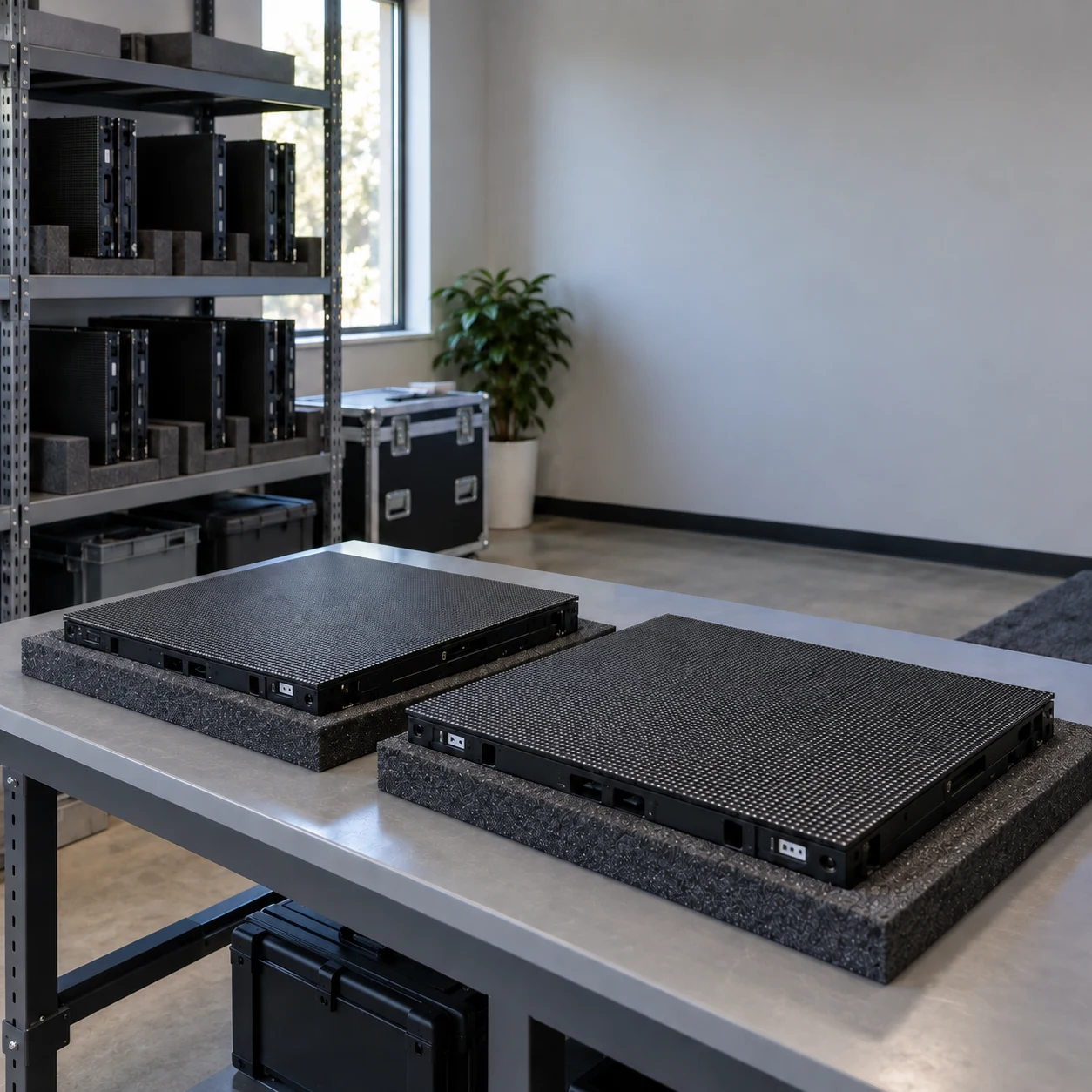
For each item, record its operational consequence if unavailable. One part may affect a small visible area; another may interrupt the entire signal path. Identify whether an approved workaround exists, who may use it, and how long the site can operate that way. These are project decisions, not universal thresholds.
Use this compact register as a starting point:
On smaller screens, swipe horizontally to view all columns.
| Item to track | Evidence to retain | Decision it supports |
|---|---|---|
| LED modules and cabinets | Exact revision, batch identification, mechanical drawings and approved configuration | Whether a proposed replacement fits and meets visual acceptance criteria |
| Receiving cards and control equipment | Model, firmware, mapping, configuration exports and supported replacement path | Whether the signal chain can be restored without unplanned redesign |
| Power supplies and related assemblies | Manufacturer-approved replacement specification and installation requirements | Whether qualified service personnel can replace the assembly safely |
| Software and configuration files | Supported versions, recovery procedure, access owner and license terms | Whether the system can be recovered after a workstation or device change |
| Service stock | Usable quantity, location, condition, reservation and replenishment route | Whether the repair response promise can actually be delivered |
| Supplier support | Written notices, last order dates, repair terms and contact owner | When to approve a bridge purchase or migration project |
Keep credentials outside this register in the organization’s approved credential system. Link to controlled records rather than distributing passwords with technical drawings. The as-built documentation plan explains the wider handover package that makes this register useful.
Which changes should trigger a review?
Review the plan when a supplier announces a component change or discontinuation, when an approved substitute changes revision, or when repair lead times no longer fit the site’s service requirement. A declining stock balance, repeated visual mismatch after repair, or loss of supported software access can also trigger a review.
Assign someone to receive supplier notices and connect them to affected assets. A notice sitting in an individual salesperson’s inbox is not a maintenance plan. Record when the notice was received, which installations it affects, what remains uncertain and when a decision is due.
Do not treat silence as evidence of continued availability. Ask for confirmation at a project-appropriate interval and before committing to an important event, extension or refurbishment. Where availability cannot be confirmed, label it “unverified” rather than “available.” The distinction helps procurement avoid relying on a repair route that exists only in an old quotation.
Can a newer LED module replace a discontinued one?
A newer module is not automatically interchangeable, even when its dimensions and advertised pixel pitch look similar. The proposed alternative needs a documented compatibility review covering physical fit, electrical interfaces, control configuration and visual performance. The supplier or integrator should identify the differences and the qualification procedure before the site buys replacement stock.
Visual matching deserves its own acceptance check. Brompton’s PureTone documentation explains that different batches of the same panel type can look different with real content even when calibrated to the same brightness and color temperature. That is evidence for testing the proposed combination, not proof that a particular calibration tool will make every replacement acceptable. Tool availability and results depend on the actual system.
Ask the responsible technical team to evaluate the candidate in the intended configuration, with agreed content and operating conditions. Record the module position, configuration version, test material, observations and acceptance decision. Include the viewing positions that matter to the venue; a close-up inspection alone may not represent the audience experience.
Separate “powers on” from “approved for service.” A candidate that displays an image may still be unsuitable because it requires unsupported settings, changes system behavior or produces an unacceptable visible patch. For the service process after approval, use the LED display module replacement plan.
Last-time buy, repair or migration: how do you choose?
A last-time buy is a final planned purchase before supply ends. It can provide a bridge to an agreed replacement date, but only if the parts are correct, usable and sufficient for the intended period. Buying more stock does not solve unsupported software, undocumented configurations or the inability to qualify mixed batches.
Compare three routes using the same service requirement and planning horizon:
On smaller screens, swipe horizontally to view all columns.
| Route | When it may fit | What must be resolved first |
|---|---|---|
| Continue repair with approved stock | The installed screen meets the operational requirement and the repair route is documented | Stock condition, replenishment or repair turnaround, and the remaining support window |
| Make a controlled last-time buy | A known supply deadline arrives before the planned migration | Exact revisions, demand assumptions, storage requirements, inspection and unusable-stock risk |
| Migrate a defined subsystem or the display | Existing support cannot reliably meet the required service or future use | Integration scope, site work, content impact, acceptance, downtime and recovery arrangements |
There is no defensible universal spare-parts percentage for every LED installation. Use actual consumption records where available, then account for the number of deployed units, repair turnaround, concurrent faults and supply uncertainty. If no history exists, document the supplier’s assumptions and review them against experience instead of presenting the initial allowance as a measured failure forecast.
The spare parts planning guide covers the inventory side. Obsolescence planning adds a different question: what happens after that inventory or support route is exhausted?
Compare total support cost, not just the replacement price
Request comparable quotations for the period the owner intends to keep the display. Separate hardware, qualification, configuration work, calibration where applicable, access equipment, transport, labor and planned downtime. Identify who owns each item and what remains excluded. Do not add an invented loss-per-hour figure; let the owner define the business impact using its own operations.
For migration, establish what can be retained and what requires review. A proposal to retain cabinets, structure, power distribution or signal cables needs technical justification, not just a lower price. Changes to loads, mounting, power requirements or the installation environment should be reviewed by the relevant qualified professionals. Procurement should not approve electrical or structural compatibility from a product brochure.
Record the decision in a short options paper: selected route, alternatives considered, assumptions, acceptance criteria, budget owner, target date and next review trigger. This makes a later change explainable when supply conditions differ from the original plan.
What should an LED display replacement RFQ include?
An RFQ should describe the service that must continue, not simply request a “compatible spare.” Provide the following inputs and ask suppliers to mark unknowns explicitly:
- Existing screen dimensions, installation location, application and operational calendar.
- Exact component identities and revisions, with relevant drawings and configuration records shared through an appropriate channel.
- The failed, unavailable or at-risk item and the evidence behind that status.
- The acceptable service interruption and any approved temporary operating arrangement.
- Current usable spare quantity, repair history and planned remaining use of the display.
- Proposed replacement scope, compatibility evidence and a sample qualification or trial plan.
- Responsibility for configuration, visual acceptance, site work and final handover.
- Supply, warranty and support terms for the proposed configuration, including how future changes will be communicated.
Request a written distinction between confirmed facts, assumptions and items awaiting inspection. Ask for the validity period of any availability statement. A quotation can describe current supply without guaranteeing that the same components will remain available indefinitely.
For help defining a new configuration, share the project information with KSSdisplay’s enquiry team. Request a project-specific proposal and compatibility review; do not assume that an item in a general catalog is approved for an older installation.
Close the plan with an owner and an exit condition
An LED display obsolescence plan is useful only when someone can act on it. Name an asset owner, a technical reviewer, a procurement contact and an approval authority. Set a review trigger and a latest decision date for each unresolved issue. Keep approved substitutions separate from candidates that are still being evaluated.
Define the exit condition for continued repair. Examples include an inability to source an approved critical part within the required window, repeated failure to meet agreed visual acceptance, or a support arrangement that no longer covers the intended use. These are examples to adapt, not mandatory replacement rules. When the agreed condition is reached, escalate the documented migration option instead of repeatedly buying uncertain substitutes.
Keep the plan connected to actual repair evidence. After a replacement, update the installed configuration, stock records and support assumptions. When a proposed substitute is rejected, preserve the reason so another buyer does not unknowingly order it again.
Questions procurement teams often ask
Does an end-of-production notice mean the screen must be removed?
No. Establish whether qualified repair, approved stock and technical support remain available for the intended use. The notice is a planning trigger; the operational decision depends on the installation and its support evidence.
Does warranty coverage guarantee spare-parts availability?
Do not assume it does. Read the agreed terms and ask how a claim will be resolved if the original item cannot be supplied. Clarify whether an alternative, repair or other remedy requires technical approval and who pays for associated work.
Can we mix new and old modules if the pixel pitch matches?
Pixel pitch alone is not a compatibility approval. Confirm the exact physical and control requirements, then qualify the proposed combination against agreed visual criteria. Record the approved revision and configuration rather than approving an entire product family by name.
Should we buy stock or budget for a new display?
Compare both over the same intended service period. Stock can bridge a defined gap when it is qualified and supportable; migration may be the more controllable option when essential dependencies cannot be maintained. Make the decision using documented scope, uncertainty and acceptance requirements rather than age alone.




