
An LED display retrofit can retain parts of an existing installation, but reuse should be an item-by-item decision rather than an assumption attached to the new screen quotation. Start with the required viewing experience, then check the opening, support, service access, power provision, signal path and operating workflow against the proposed replacement. Record each item as approved for reuse, requiring modification, requiring replacement or still unverified. A new display that fits the visible opening is not necessarily compatible with everything behind it.
This guide is for facility owners, procurement teams and AV integrators replacing a fixed LED wall in an occupied building. It explains how to define a reuse scope before ordering equipment. It is a planning guide, not structural approval, an electrical design or a procedure for dismantling an installed display. Relevant qualified professionals and local requirements govern that work.
Start with the reason for replacement
Ask what the existing installation no longer does well enough. The answer may be unreliable operation, unavailable replacement parts, content that is difficult to read, changed room use or an operating workflow that no longer fits the organisation. These problems call for different responses. Replacing the display surface alone may leave the main limitation untouched.
Write a short performance brief before listing components to retain. Describe the audience positions, intended content, hours of use, ambient lighting and required input sources. Identify what must remain unchanged, such as an architectural opening or an agreed period of building access, and distinguish those constraints from preferences that can be reconsidered.
AVIXA’s guide to conducting an AV needs assessment recommends considering users, the physical space and the existing technology inventory together. For a retrofit, apply that principle by comparing each retained asset with the new operating requirement, rather than preserving equipment simply because it is already installed.
Agree who can approve a departure from the original brief. If retaining a processor would restrict a required content format, the owner needs to choose between changing that requirement and replacing the processor. The installer should not have to make that commercial decision during the changeover.
Separate the wall opening from the display system
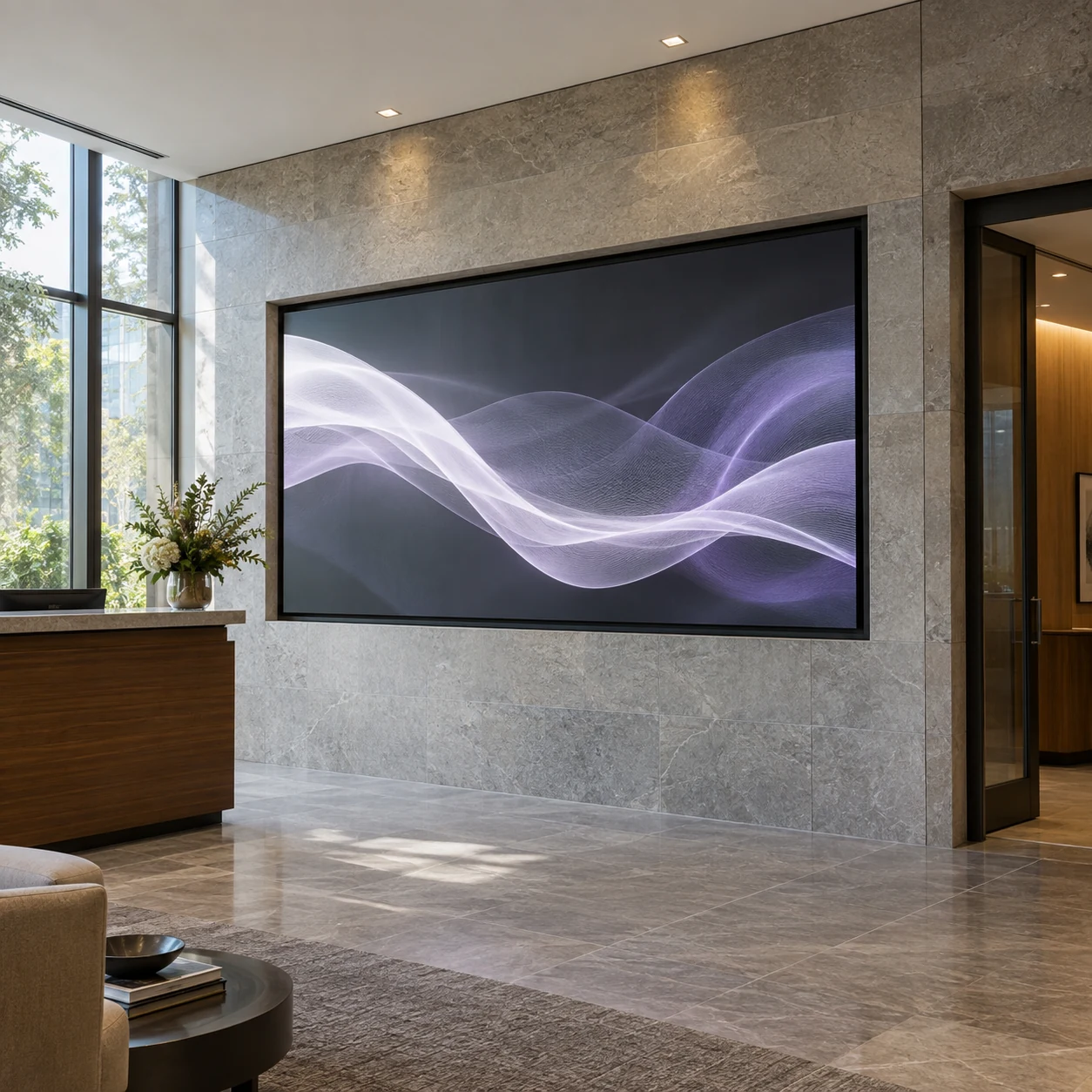
A finished opening may be worth retaining even when the hardware inside it needs replacement. Measure the actual aperture, reveal depth, surrounding trim and access route rather than relying only on the old screen’s advertised dimensions. Check where measurements were taken and whether finishes conceal the true available space.
Distinguish active image area from overall installed dimensions. Cabinet edges, mounting interfaces, adjustment allowances and service requirements may occupy space outside the visible image. Ask the supplier and installer to show the proposed arrangement on a dimensioned drawing that includes the existing construction.
A different cabinet grid can change the achievable image dimensions within the same opening. Agree whether a revised border, trim or content canvas is acceptable before equipment is ordered. Do not force the new layout into the old dimensions by leaving finishing details to the last day of installation.
Use the LED display site survey checklist to collect consistent observations. For concealed areas, identify what is known from records and what still needs inspection. A photograph of the completed wall cannot establish the condition of a hidden bracket or the usable space behind it.
Give every retained item a documented decision
Create a reuse register with a clear owner for each decision. The register should connect the existing item, proposed replacement requirements, supporting evidence and resulting action. Keep unverified items visible; “existing by others” is not a useful substitute for deciding whether they fit the new design.
The following matrix is a scope-planning tool. It does not certify any component or establish a universal test method.
On smaller screens, swipe horizontally to view all columns.
| Existing item | Evidence to collect | Decision to record |
|---|---|---|
| Architectural opening and trim | Measured dimensions, condition, proposed cabinet layout and service envelope | Retain, adapt or rebuild the visible interface |
| Support frame and fixings | Available drawings, condition survey and review against the replacement arrangement | Qualified designer’s reuse or modification decision |
| Electrical provision | Existing circuit information and assessment against the new equipment requirements | Qualified electrical professional’s scope of retained and new work |
| Signal cables and pathways | Identified cable types, routes, lengths, endpoints and verification for the intended signal | Retain tested links, replace unsuitable links or investigate unknowns |
| Processor and control equipment | Exact models, revisions, supported functions and demonstrated compatibility | Retain with stated limits, reconfigure or replace |
| Service access and ventilation | Proposed maintenance method and manufacturer installation requirements | Preserve, alter or provide new access and airflow arrangements |
| Content and operator workflow | Source files, canvas, scheduling needs and routine tasks | Reuse templates, revise content or retrain operators |
For every approval, identify the document revision and the configuration it covers. A decision made for one cabinet layout may not apply after the screen size, mounting interface or service method changes. Review affected approvals when the design changes instead of carrying them forward automatically.
Can the existing frame and mounting be retained?
Do not decide from appearance or total screen weight alone. The proposed equipment must be assessed as a complete arrangement, including how it connects to the support and how the support connects to the building. Different mounting locations, depth or service arrangements can change the review even if the replacement is described as lighter.
Provide the responsible structural professional with the available original drawings, known alterations, condition information and proposed equipment/interface data. Ask for a documented decision on what can remain and what needs further investigation or modification. Where original information is missing, agree how that uncertainty will be resolved before procurement is committed.
The display supplier should provide the relevant equipment information; the installer should confirm the installation interfaces; and the qualified designer should evaluate the supporting arrangement within their scope. Do not treat a supplier’s cabinet specification as approval of an existing building attachment. The cabinet weight and support planning guide explains the inputs buyers should coordinate.
Also consider how equipment will be removed and brought in. A support arrangement that suits the completed screen does not, by itself, establish a workable removal or installation sequence. Agree protection of adjacent finishes, access equipment and responsibility for temporary conditions with the appropriate contractors.
Verify the power and signal path, not just the connectors
An existing power connection is not evidence that the electrical provision suits a new display. Give the qualified electrical professional the proposed manufacturer’s requirements and the existing installation records. Have them determine the scope of inspection, design and verification needed under the applicable local requirements. Do not assume lower advertised consumption makes all existing provision reusable.
For signal infrastructure, identify what is actually installed. Record cable type, route, approximate installed length where available, connection points and any intermediate equipment. Match that information to the signal format and transport method the new system needs. Similar-looking connectors do not establish compatible protocols or adequate performance.
Ask the integrator to demonstrate the intended source-to-screen chain, including normal input switching and any required recovery behaviour. Use the real content sources and proposed operating settings where practical. If part of the chain cannot be tested until changeover, document that dependency and the alternative action if the check fails.
Retaining a cable pathway and retaining its cables are separate decisions. An accessible route may remain useful while the cable itself requires replacement. Ask quotations to distinguish investigation, cable replacement, pathway alterations and finishing work so the costs are not hidden inside a single installation allowance.
Treat the processor, display and content canvas as one chain
A processor that worked with the old LED wall is a candidate for reuse, not an automatic inclusion. Confirm its exact model, supported inputs and outputs, configuration limits, software requirements and compatibility with the proposed receiving system. Have the relevant suppliers confirm the intended combination rather than relying on a generic compatibility statement.
Check the complete image layout. A change in pixel pitch or cabinet arrangement may change native resolution even when the physical wall looks similar. Existing content may need new exports, scaling decisions or revised templates. The content resolution and aspect-ratio guide helps define the handoff between the creative team and the AV integrator.
Include the operations team in the demonstration. Verify the tasks they need: choosing a source, publishing an approved file, applying the agreed operating preset and reporting a problem. Record any retained software licences, support dependencies and account ownership. Do not publish passwords in the handover pack; transfer access through the organisation’s approved process.
Consider supportability alongside immediate function. If retaining an older component leaves the new installation dependent on unavailable service or an unsupported workflow, make that limitation explicit. A working demonstration answers whether the chain works under the demonstrated conditions, not how long every retained component will remain serviceable.
Protect service access when the new screen fills the opening
Agree the maintenance method before approving the visible finish. Confirm which components need front or rear access, how they are reached and what the manufacturer requires around them. A neat new surround should not obstruct the intended service path or make routine access dependent on removing unrelated building finishes.
Review ventilation and the surrounding enclosure with the proposed equipment data. Do not assume the former arrangement remains suitable just because the replacement occupies less space. Bring the display supplier, integrator and relevant building-services team into the review, and assign responsibility for any enclosure or ventilation changes.
Ask the installer to explain the practical removal path for a serviceable component and where technicians can work. Record any access equipment, removable trim or site restrictions that operation will depend on. These details belong in the scope and handover information, not only in an informal conversation with the installation crew.
Price uncertainty before committing to the changeover
Compare proposals using the same reuse assumptions. Separate the new display package, retained equipment, modifications, investigation work, removal, protection of finishes, installation, commissioning and disposal or return arrangements. Identify work supplied by the building owner or other contractors.
Where a concealed condition remains unknown, request an explicit allowance or a priced alternative with a clear decision point. State what evidence will trigger the alternative and who can authorise it. This is more useful than a low base price whose exclusions become visible only after the existing wall is dismantled.
Plan the interruption around dependencies rather than a generic replacement duration. Confirm equipment availability, approved drawings, local readiness, access and the people needed for verification. The procurement timeline guide helps position those decisions before the changeover window.
Agree what happens if an intended retained item fails verification. The response might be replacing that item, holding the changeover or providing a separately planned temporary communication method. Do not call the old screen a fallback unless the team has established that it can actually remain available or be reinstated within the agreed conditions.
Close the retrofit with evidence of the installed result
Commission the complete new-and-retained system, not only the replacement LED panels. Use the agreed content, sources, operating settings and viewing positions. Record the checks, results, unresolved items and responsible decision owners. The commissioning and handover checklist can help organise that record.
Update the final drawings and asset list so future technicians can distinguish retained equipment from new equipment and approved modifications. Keep the final configuration, service instructions and support boundaries together. A historical drawing should remain traceable, but it should not be mistaken for the current installation.
For an LED display retrofit proposal, send KSSdisplay photographs, measured opening dimensions, existing model details, available drawings, intended content and the required changeover window. Identify which items you hope to retain and which remain unverified. Use the project enquiry form to discuss a replacement scope and the information needed for a meaningful proposal. Local structural and electrical approvals remain with the relevant qualified parties.
Questions buyers ask before reusing equipment
Is a smaller or lighter replacement automatically easier to fit?
No. Fit also depends on the cabinet grid, mounting interfaces, service envelope and finishing detail. Lower total weight does not replace a review of the supporting arrangement.
Can the old controller stay if the new screen has the same physical size?
Possibly, but physical size does not determine controller compatibility. Verify the new pixel layout, supported signal chain, configuration limits and operating requirements with the relevant suppliers.
Should every existing cable be replaced during a retrofit?
Not automatically. Identify and verify each candidate link for its intended use, then compare the retained option with replacement scope and future access. Unknown condition or compatibility should remain an open decision, not an assumed saving.
Does replacing the LED wall require replacing the surrounding finishes?
Not necessarily. Existing finishes may be retained if the agreed layout, installation and service needs can be accommodated. Confirm dimensions and removable interfaces on drawings before ordering, and price any alterations explicitly.




